Showing posts with label Game Mods. Show all posts

Saturday, 21 March 2015

Kjorik's Rest: a player home mod for Skyrim

So with the completion of the basic tutorials for the Bethesda Creation Kit, comes the proper start for my first mod Skyrim. It will be a Nordic-style player home called Kjorik's Rest, where I will hopefully be consolidating my favourite aspects from several other player homes, into one!

Yesterdays work made the the exterior and the entry hall for Kjorik's Rest. Here's some of the screenshots from the mod so far:
Kjorik's Rest view from the side, with the Western Watchtower visible behind it in the distance. To the right is some of the buildings that surrounds Whiterun.

The exterior of Kjorik's Rest, showing the gravel path leading up to the entrance.

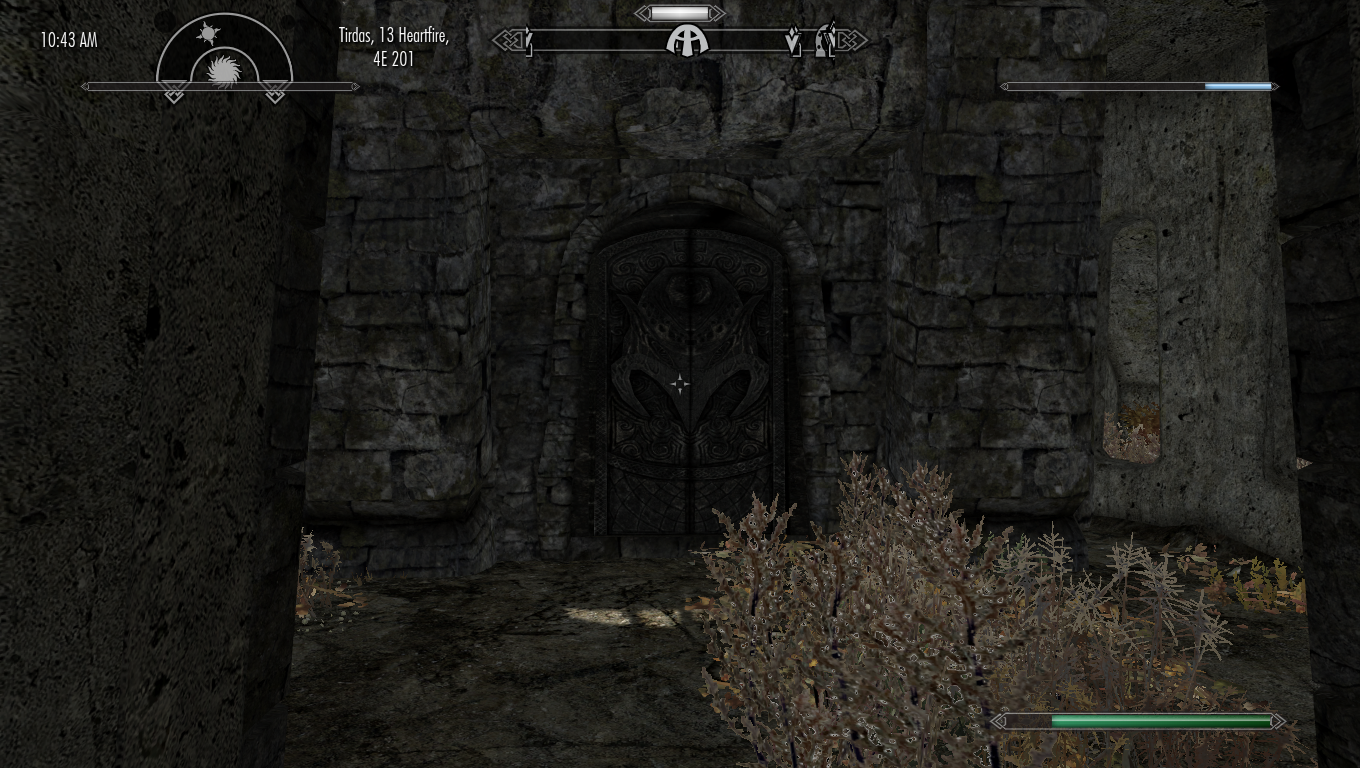
The door into Kjorik's Rest. The grass visible through the floor is an artefact left over from terrain painting, and will be removed!

The entry hall of the Kjorik's Rests interior.

Looking through the grate at what will be a short hall of stories before a puzzle door that will act as the main entry (proper) into the home.

The claw for the puzzle door. In time, this pedestal will be activate-able so the puzzle door will lock. Then you can just leave the claw on the pedestal as shown, or take it with you as a key!

Gotta have Easter eggs somewhere..... This hidden pullbar opens up a secret passage to the dev area, where I will be testing scripts and setups.

The false wall pulls back to reveal the entry to the dev zone!

And finally, a veiw from inside the dev zone, currently empty! It's basically just a copy-paste of the entry hall, minus most of the doors!

Well, that's my progress so far. I'll hopefully get back to it during the midweek once my work is done!


Friday, 13 March 2015

Bringing a dungeon to life...

... literally! Continuing my tutorials of the Bethesda Creation Kit, its time to make the dungeon come alive with baddies and effects. My first attempts at putting AI enemies into the dungeon have not gone well, with my Draugr gleefully standing on top of his coffin, before slowly stepping off at the moment the coffin dramatically bursts of. Then there's the other, patrolling AI, that seems content just drawing and sheathing his weapon as opposed to actually moving about.... At least the navmesh is working well enough that you can successfully stab them for their hubris!

With the inclusion of AI into the dungeon, I needed to add some more rooms. I basically copy pasted the first room, and extended the hallway to facilitate the rooms, also adding in a downwards staircase.
At the bottom, the hall narrows into the final boss room (I have subsequently added a gate).


Finally, there was the application of of lighting and light templates. I've not added many lights yet, but you can definitely see the altered feel of the dungeon. The two pictures below show the entrance to the barrow and a skylight in the main corridor.


So that's my content creation from the past few days in a nutshell. I have a few more tutorials to play about with in level design, before I move on to scripting tutorials. Then I'll be starting my own mods proper!!!

Thursday, 12 March 2015

I'm a modder! (VERY beginner, though)

So yes, as per my post yesterday, I've now taken up modding - in lieu of my Hibblejayvlog series. The series might come back in the future if I get the time, but for now I have no plans.

I'm currently planning on working on 3 mods for Skyrim - the logical choice, since that's where I've been spending the majority of my free time lately! At the moment, I'm nowhere near starting any of them, I'm just working my way through the Creation Kit tutorials. So to start with, I've made an extremely small Nordic barrow. Here's what I've done so far:
 This is the cave, looking toward the barrow entrance.

 The main entrance to the barrow, showing off the fire.

 Inside the main corridor, looking back at the main entrance, showing off some rubble and furniture scenery

 The remainder of the main corridor

 The door into the main chamber.

 Some Nordic urns with randomised loot.

 I made an alchemy station in a nook of the main chamber. Showing off some neatly placed ingredient satchels and some levelled potions above that (the potions vary with player level).

 Experimenting with the Havok-settle function in the creation kit, I made a basket filled with leather.

 The altar inside the main chamber, showing object (coins) and levelled item (the bow at the top of the image) placement.

 The loot containers inside the main chamber. This was an exercise in altering the loot inside the containers, and playing around with locks (the strongbox is locked).
 
My bowl of potions. This was to allow a slightly destructive environment: the bowl is non-static so can fall off the altar, dropping the potions across the floor.

More content to follow, once I've made it, of course!

Thursday, 5 March 2015

Sofia Follower Mod for Skyrim: Hibblejaybob Reviews


Welcome to my review for the Sofia Follower Mod for Skyrim. I'm a little late on this particular bandwagon, but after seeing this mod reviewed elsewhere, I gave it a bash. I was extremely impressed by the mod, so I thought I'd share my opinion.


Voice Acting:
The first thing that jumps out at me is the voice acting. The quality of which is amazing; the actress really has nailed the Nord accent. In the default Skyrim, there are some speeches in which the pause between different lines is brutally obvious, and makes the whole thing seem alien. The mod author has done really well to make the transitions between lines, so smooth it seems completely natural. Overall, I think the quality of the voice acting is a league and a half above the majority of the voice acting in vanilla Skyrim.

There is lots and lots of dialogue written for the character, so much so that, despite playing 2 characters to level 45 & starting a 3rd new character, I'm still hearing new dialogue. The mod description boasts witty & humorous dialogue, and that is what you get and more! Conversations are topical, or making witty remarks about your current location. It screams out to me that is what M'aiq the Liar should have been like.

The writing is done really well, and the dialogue is kept very consistent to Sofia's character, while still being varied enough to keep her seeming natural and likeable. The only thing I will say is that does play the "I'm a cute/sexy girl" card a little too much for my liking, but I struggle to criticise it too much, because it does fit her character really well, as a boastful, confident Nord.

Balance:
As a companion, Sofia is well balanced. Generally more powerful than you, but not game breakingly so. I've seen some mods in the past that at level 4, your companion can 1 hit kill a dragon - and I play on the Master difficulty setting! That really does ruin the experience for me. However, Sofia is not overpowered, and you'll find her a competent assistant in combat. I don't know if it's just me, but I get a CTD if I try and give her arrows. Bows are fine, but no arrows it does mean she cannot use archery at all. She is, by trade, a spellsword, using magic and one handed weapons together: with the destruction magic making up the total of her ranged abilities. Fair enough if she does not use archery, but I do have to mark the mod down for causing CTD's.

Elsewhere, she's a pretty vocal follower, which is nice as it makes it her seem like more of an involved companion than just a box for all of your spare stuff who stops to stab things every now and again. I tend to play exclusively stealth characters and Sofia continues the trend of Bethesda companions by generally screwing things up. However, the Summon Sofia spell that comes with the mod means you can easily get her to wait somewhere while you stealth properly, then summon her in when shit hits the fan. On balance, I don't mark the mod down for that because it's more to do with the game AI than it is to do with the mod, and they do make up for it with the summoning spell.

Let me try and convey how good this mod is. I have 500 hours on Skyrim, and another 500 on other Bethesda RPG's. In all of those games, I never have a companion. I don't think they add anything to the experience, in fact, since I generally play stealth based characters, I'd say they take away from the experience because the AI cannot stealth. That being said, I've now done 3 Skyrim characters with Sofia by my side, and if do any more, you can bet your backside, she'll be with me again. I do leave her behind while I clear out dungeons, but at all other times, the sheer personality of character makes it worth taking her on your adventures.

Humour:
On the topic of her personality, lets talk about the humour of this mod. Some of the lines and jokes are so well written, they're not just "oh ha ha that was kind of funny", it's the proper laugh out loud material that firmly puts this mod in my top 3 funniest content in games, along with Portal & The Citadel DLC for Mass Effect 3. Even the bad jokes have a spin on them where she says "that was a bad joke even for me", which still made me laugh! John Jarvis, the writer of the mod and Christine Slagman, the voice of Sofia, have done a phenomenal job of brining the character to life and I feel more empathy towards Sofia than I do to any other character in the game, and indeed most other games that I've played.

Summary:
So to summarise, the Sofia Follower Mod for Skyrim is an absolutely fantastic mod, that has, for the first time for me in a Bethesda game, made it worth having a follower. The content and quality of the dialogue is a cut above that offered in the base game, and in some of the few other follower mods I've tried out. My only significant criticism of the mod comes from the fact you can't feed her arrows, or your game will hark it ye olde crash to desktop style. Despite that, I feel that this mod is an absolute must have for a playthough of Skyrim. You can check out links to the mod in the description, and I've also put in a link to Christine's other work, which you can check out as well.

Scoring:
-5% - Game CTD's when giving Sofia arrows
-1% - A bit to much use of the sexual nature for my liking.
Total: 94% - Gold Standard!
This mod was awarded the Hibblejaybob  Gem Award for being the first mod to ever make me give a damn about a follower!

Wednesday, 4 March 2015

Modding Games: Hibblejayvlog

This week on Hibblejayvlog, I tackle modding and why we mod out our games. Modding is a very vast topic, and I just touch the tip of the iceberg here:


Transcription (may not be 100% accurate):
Welcome back to another week of Hibblejayvlog. Today I wanted to talk a little bit about modding in general. Although I've not really had the time to do nearly as much reviews as I'd have liked, one of the main things I wanted to show off with my channel and blog is mods, as well as full games. Mods are often programmed by an individual or small group and are usually released for free, for the enjoyment of the community. So in doing what I do, I wanted to give a little back to the authors of the mods that I use.

So why do we mod our games? Well, there are 3 general reasons. Firstly, there are tweaks, fixes and patches, which slightly alter the gaming experience to make it closer to what the developers originally intended it to be or to make the game more a more enjoyable experience. The unofficial Skyrim patches, are an example of the modding community coming together to fix various issues in the huge game that is Skyrim. A game so vast, it would take an age for the dev team to find, fix and distribute all the patches. I actually remember seeing on the Bethesda support page something along the lines of "if you're here to report a clipping issue, don't bother, we don't have time to fix it", which I thought was pretty funny.

Secondly, you can mod a game to expand upon the content that's already present. So things like new quests and new weapons & armours, etc. Those mods can vary wildly, from a few megabytes for a new weapon, up to several GB. The mod that springs to mind here is Kobayashi Maru mod for Star Trek Bridge Commander. Which weighs in at well over a GB for a game that's only a few hundred MB big, adding a whole heap of new stuff, pretty much quadrupling the original content of the game, while still letting you use most of it in the original game itself.

Finally, there are total conversion mods, which completely change away from the original game. Some of these eventually blossom into their own games, like Day-Z and Dota 2. These mods use the user interface and framework of the original game to effectively create a new game, which can range from something of a similar nature, to a completely different topic!

There are many examples of all of these different kinds of mods for literally thousands of different games out there. This is probably where I'd tell you put your search engine to work and try them out for yourself, but actually, I air on the side of caution when it comes to mods, and here's why. There are some mods out there, that while still being lore-friendly, can fundamentally alter the experience of the game. Don't get me wrong, this isn't always a bad thing, but it can detract or alter the original experience of the game as intended by the developers. Take my earlier example of Skyrim. Something like a texture pack isn't going to be detrimental to your experience, but modding the BFG 9000 into your game is going to seriously screw up the difficulty for you. I'm not saying don't do it, just be sure of what experience you want to get out of the game when you are considering putting mods on - particularly if it's you're first playthrough. In that case, I'd recommend getting a feel for the game, and getting to know what you like and what you would change. Then put on the mods you feel the game needs and try it out!

My general rule of modding is that mods are infinitely harder to get rid of than they are to install. In most of the games I run with mods, it's a case of install the mod by dragging and dropping, and uninstall the mod by deleting the entire game folder, reinstalling the game, then reinstalling all the mods you wished to keep. As someone who's never actually finished Skyrim because I've had to keep re-doing installs and restarting characters, take it from me not to just vomit every mod you come across into your game. If you're not sure about a mod, make a backup of your current install, so you can revert back if it doesn't work out. And for the love of everything that is holy, read the description! Just because all the mods you've installed for a game before have been drag and drop, doesn't strictly mean the one you are about to install is. There is also the matter of conflicts that you should be clued up on as well. Again, if you're not sure make a back up!

The other thing to keep in mind, is that mods are generally not made by large groups. Mods are not tested on a wide variety of platforms and if something does go wrong, you are likely to receive little to no support. This brings us back to the aforementioned point that mods are a lot harder to get rid of than they are to install.

Most of what I just said makes it sound like I don't recommend modding games, but that's not true. There are some truly fantastic mods out there, which impact tremendously on your enjoyment. I've even seen mods that rival or even surpass the quality of the original game! What I am saying is be wary. A good practice, albeit a tedious one, is to install mods one at a time, making backups beforehand and running the game after each install to make sure everything is working swimmingly. If it's your first time playing a game, I recommend only modding the game to what you need, but if you're returning to the game and wanting a different experience from before, then by all means knock yourself out.

Remember that mods aren't made by huge companies, and they are usually distributed for free, so share and endorse the mods you've enjoyed, it will really make a developers day!

So that's all for today. Modding is a colossal sea, that I've just taken a quick paddle in, so if you've got anything to say on the subject please post a comment below. I'd also be interested in hearing your stories of the great and the grim mods that you've experienced in your gaming careers. Remember you can find me on social media using the links below:


Facebook: http://www.facebook.com/hibblejaybob
Twitter: https://twitter.com/Hibblejaybob
Youtube: http://www.youtube.com/user/hibblejaybob
Blogger: http://hibblejaybob.blogspot.co.uk/

 
I'll see you next week! Bye!

Hibblejaybob

Wednesday, 10 September 2014

RealVision ENB Review


Mod: RealVision ENB by SkyrimTuner
Link: http://www.nexusmods.com/skyrim/mods/30936/
Game: TES V: Skyrim
Note: The score for this game has been revalued based on my new scoring system. 4/2/15.


So I'm finally back to reviewing some Mods and my mod of the moment is definitely the RealVision ENB by SkyrimTuner. I'm doing a complete playthough of Skyrim again, and I decided to experiment with different ENB's before starting. The RealVision ENB was by far, the best one that I found.

First things first, what is an ENB? The ENB series is a set of graphical modifications for games; using an array of post-processing effects, rather than amendments to the game engines, to get the improved graphics. You can read more about the ENB series, as well as get ENBs for this and other games by following the link in the description. The ENB is a fixed program, but what you download are configuration files made by different users to get different artistic effects. Some focus on trying to be photo-realistic while others make the game seem more fantasy, and so on. As you might imagine, the RealVision ENB focuses on a realistic appearance.

So, what did I think about the RealVision ENB? Everyone who's played Skyrim will have that one vista that made them just stop, look out at the view and just go "wow". But as the game wears on, the scenery can wear a bit thin. Well, the RealVision ENB makes you have "wow" moments at most of the views in the game. I know people will say that Skyrim's scenery looked fine before, and they're right, it does. BUT. The RealVision ENB makes it look absolutely stunning. I did think the notion of the better graphics would wear off, just as the originals did, but after a dozen hours or so of gameplay, I'm still finding these big vistas, different times and weathers, and even little places that just stop me in my tracks. It is that good.

Other than the graphics, what else did I like about it? Well, some ENB's I've seen before have been largely as-is, with little or no documentation. While RealVision ENB does not ship with any documentation, the guide on it's Nexus page is very thorough and I was able to get everything working with ease. Follow the guide properly, and you should have no problems. I also liked how the various options for ENB settings are nicely packaged into little drag and drop folders making them really easy to install, quickly giving you the package you want.

As much as I love this mod, I do have one slight concern: I have a reasonably good gaming rig, but this mod takes my GPU up to 100%. I can run the game and all my mods for it, including the ENB, at over 40 FPS. My worry is that many people will not have gaming setups as I do, and as a result, the frame rate they get might be too low to be enjoyable. That's not to say they can't use the RealVision ENB, but it does mean they will have to change the settings of the ENBs using the various text files that are part of the program. It's not impossible, but I've taken a look through the settings files and I couldn't really make heads or tails of it, although I do admit I've never really looked into what they all do. The summary here is that the mod will be usable by all, but for some people, the installation might not be quite as "drag and drop" as it was for me.

So that little issue aside, I really loved this mod. Starting a new playthough of Skyrim, this ENB was enough to make me completely fall in love with the game all over again! All the videos and pictures in this video are footage taken from my game. I seriously recommend giving it a look and if you are interested, you can follow the link in the descriptions. Hope you enjoyed this review!

Sunday, 15 September 2013

GTA IV - LCPD:FR


Liberty City Police Department: First Response
Game: Grand Theft Auto IV & Episodes From Liberty City
Type: Script Mod
My Rating: 95%

I've been meaning to talk about the mod since this blog started, as people who have visited my Youtube channel will be aware, I spend alot of time using this mod. Never in my entire time of playing games have I come across a mod that's had such a profound impact on that game. Before this mod GTA IV was a decent game for me: good for messing about and a decent storyline to play through, enjoy and forget. Then I discovered this mod and now I spend most of the time playing games on EFLC (the mod works for both GTA IV and EFLC). It adds a whole new lease of life to the game and it was this mod; the hard work and dedication to an excellent idea that completely changed the game for me, that inspired me to start giving praise and reviews to the individuals and teams that make great mods for games.

So what is it? LCPD:FR is a fairly comprehensive police simulator for GTA:IV. Rather than taking just one mission, LCPD:FR allows you to take on the role of a police officer in Liberty City. It's not a complete police simulator (hence the name First Response), so there's no investigations and bureaucracy - which is a good thing. Instead, you can drive or walk around the city, stopping cars and pedestrians for suspicious behaviour (or even for the hell of it) or waiting for an incident to get phoned to you, such as muggings, domestic abuse and suicide calls. I'll spit these into "callouts" and "patrols" and discuss them in detail.

Callouts
Callouts are when you are dotting about and a call comes in for you to attend an incident. You do have the option of taking the incident or not (useful if you are roleplaying a certain role like armed response), or the option of a "busy" status so you don't receive callouts. Callouts always follow a well working formula: you go with blues and twos to the scene of the incidents and deal with the suspect. In muggings and domestic calls, you try and apprehend the suspect. In suicide calls, theres a nice little quite time event where you have to "talk the suspect down" by hitting a key when a bar is in the green area of a moving slider. Get it right and the suspect puts the gun down, get it wrong.... you'll need crime scene clean up! Sometimes you can get called to a gang shooting, which aren't massively realistic (at least not from a UK standpoint) as its about 20 people with guns shooting up the town, but they are pretty fun and really make you use the mods other features, which I'll discuss later.

Patrols
On patrol, you drive or walk around city looking for crime. Sometime crime comes to you: you can be parked up at a traffic light when a pursuit goes blazing by or maybe you'll turn a corner and there's a fight on the pavement. Maybe you'll find crime: doing stop checks on vehicles and pedestrians can bring out some unsavoury characters. Of course, people don't always want to stop to talk to the police and foot chases and vehicles pursuits are rife! The nice thing I like about the mod is that as well as scripted crime, the game's AI does alot of accidental crime, like crashes and missing red lights, which fits in with the mod like a charm - you can stop a vehicle for dangerous driving or just let it slide - the discretion is yours. 

The Mechanics
I could rattle on for absolute hours about this mod (and I would really like to!) but I'll keep this as short as I can. The reality is, it's all just random number generators: will a car pull over for you, will they be wanted, how will they react to being arrested - do they take it, or do they pull a gun and fight for freedom - but it really flows and ensures a great variety of outcomes for callouts and patrols. When in a pursuit, other police cars nearby will join in the chase and try and "help you" (help, being very generous due to the ridiculous driving the AI can pull off sometimes). You can also call out other vehicles to help and helicopters too. On foot, you can call for regular backup or SWAT teams to help you on the ground. All the features in the game are actuated by quite an extensive set of keys: with only a few keys being used by the vanilla game, this leaves the rest of the keyboard to be used in place of menus. There is a menu that overrides the vanilla police computer, that you can use to check the identity of people and call for backup and services. All things together, the interface is fairly easy to use once you get used to it and works fairly well in dealing in quick-paced situations. 

The Community
One thing that does speak for this mod, is the sheer numbers of the community following for it, with over 100,000 registered members. There is even an extensive list of mods made to accompany and supplement this one. These range from vehicle skins to plugins to give you more diverse crime. One of these mods worth noting is the Emergency Lighting System (ELS) which allows developer to make cars that utilise realistic light bars and customisable lights patterns. These can be tweeked by the user to get the lights they want for their cars. I, for example, decided to replace all my police cars with British police cars, which requires setting the lights to be blue and white, rather than white and red which the vanilla game uses. 

Issues
Overall, the mod is really well constructed. Unfortunately, the game is not: I tend to get only around 45 minutes of playing before it CTD's (unmodded or not). This sets the scene: the issues I have with the mod are limitations of the base game itself. The AI behaviour and spawning errors make up the bulk of issues, with no backup turning up from time to time and the AI crashing into and killing everything, which kills the whole mood really. 

However, the timing of this article isn't a coincidence: LCPD:FR have just announced a preview to the first non-beta release and it looks great! They've completely reworked all the scripting, you can check out the preview at http://www.lcpdfr.com/page/features.html/_/lcpdfr-preview. I'll do an another review when it's released. Most people I know are looking forward to GTA V, I'll be looking forward to LCPD:FR 1.0!

This review really doesn't do the mod the justice it deserves and I've no doubt missed out a good few features. To see more of what is offered, you can check out my videos on my channel (http://www.youtube.com/user/hibblejaybob) or on a channel I enjoy alot: http://www.youtube.com/user/SpeirsTheAmazingHD who did a great series "Speirs on Patrol". You can also just Youtube search LCPDFR and look at the many great videos by other developers. Even as the beta release now, I'd seriously recommend giving it a try; it breathes a complete new life into the game!

Thanks for reading.

Saturday, 14 September 2013

Mass Effect - New Textures Mod

http://www.moddb.com/mods/mass-effect-1-new-texture-updatesimprovements-mod
[art from creator]
Game: Mass Effect
Type: Graphics Improvement
My Rating: 100%
Website: http://www.moddb.com/mods/mass-effect-1-new-texture-updatesimprovements-mod

So, at the request of my friends (so they could talk about the series without giving me spoilers), I recently started my first ever playthough of the Mass Effect series. Released in 2007, the game has held up relatively well from a graphics standpoint, but one thing that particularly caught my eye was that, while the faces very well modelled, the uniforms and armour were noticeably poorer. Even on the highest graphics settings, the uniforms were terribly blurred. So I went in search of a HD textures mod, and what I found was this: the New Textures mod.

The praise I have for this mod is very high: if you had never played Mass Effect before, and then did for the first time using this mod, you would honestly mistake it for a near-new game. The updated graphics are simply stunning, with the game now utilising 8 times the resolution available to the vanilla game textures and a HD textures pack to make full use of it - the level of detail is fantastic. To quantify just how much work has gone into these textures: the vanilla game is ~7 GB on your hard drive whereas the HD textures alone are ~20 GB!

Using the Steam version of Mass Effect, there is an additional step to the install, but that and other troubleshooting topics are covered in the readme, although I've not encountered any other issues.

This mod is seriously impressive and well worth getting if your planning on playing Mass Effect in the future.

Tuesday, 3 September 2013

New Blog

So, as a person with more games on their Steam list than most Valve employees, I found myself a tad bored when my £50 gaming mouse went all Mac-style on me and couldn't right click. In these dark and lonely time, I decided to myself 2 things: that first, I was going to get back into game building and secondly, I was going to start a blog about gaming. And as with all ambitious projects of mines, I've picked the perfect time to begin: my final, and most important year at university starts next week, all the while I'm at working, learning two languages, doing a competitive year as a target shooter and qualifying to become a real life racing driver. There is no way at all that I might be overstretched!

Anyway, gaming takes up alot of my time so I want this to become a regular fixture of mine and hopefully, readers enjoy it enough that it becomes a regular fixture of theirs too. Now, I can't keep up with constant new releases (as an independent here, I anything I spend on games comes out of my budget for food), and my computer setup is already rather precarious, so I can't really do the crowbarring necessary to get alot of vintage games running on my setup. So rather than a constant stream of reviews on new games or retrospect of old ones, both of which are already well covered on the internet, I'd think I'd dedicate my blog to the overall topic of gaming. Mainly, I'd like to focus on discussing the development of, and the concepts behind the games we see today and how they've evolved the games of yesteryear. One thing I would like to do fairly regularly is discuss the hard-working modding community, reviewing some good mods and talking about how their work changes the games we play. And once I violently crowbar gently absorb the necessary knowledge to begin my games creations in earnest, I'll talk about what its like and and the work behind developing a game of your very own.

Of course, I will also do some reviews on the games I'm playing now and some of my favourites from the past. Generally, I hold quite positive opinions of games that others might be quick to criticise and complain about, so I wouldn't say the reviews would be highly critical, so I reckon my reviews would be the case of documenting the reasons why you should buy or play a game. As for what I play, I'm very open and have everything from Call of Duty to Rail Simulator, Indie to Triple-A developers, and ages and genres across the board. I'm happy to play anything, although I very much enjoy simulation. In particular, I spend alot of my time on Microsofts Flight Simulator. Indeed, my very idea for starting this blog came from my friend who regularly does videos for the benefit of those interested in flying. His site can be found here: http://merryfaceaviation.com/ and is well worth checking out, if you're interested.

So, this has been a fairly long post, thanks for reading. I don't have all that great sound gear on my setup, so while I put a far few videos on my Youtube channel (http://www.youtube.com/user/hibblejaybob) I narrate fairly few. Now that I've started this, I will try to do more, time allowing. I will put videos online fairly regularly and like relevant ones here. I also have a long-abandoned project doing content creation for RailWorks which can be found here: http://giffordlightrailway.blogspot.co.uk/. For the moment, most of my discussions will be done by text on this blog. So before I go, I'd like to give a shout out to a couple of great places to go for insights into games and funny things that happen in them: first is Zero Punctuation (http://www.escapistmagazine.com/videos/view/zero-punctuation) and second is Random Encounter (http://uk.gamespot.com/shows/random-encounter/).

So thanks again for reading, throughout this blog, feel free to give any comments, questions or suggestions on any topics or games I've mentioned, or that you want me to cover. See you all soon!

Hibblejaybob